
Kaiser Permanente
Go Green. Go Paperless. (2020)
Overview & Scope
All digital members were required to accept updated Terms & Conditions (T&C) to maintain account access. As part of this update, members had to explicitly choose their paperless delivery preferences across six document types including medical bills, premium bills, EOBs, and tax documentation.
Members fell into two groups: current members (ranging from fully paper to partially opted in) who encountered the T&C gate, and new members who set preferences during onboarding.
Objective
The goal was to drive affirmative consent for electronic delivery while maintaining transparency, legal compliance, and accessibility — ultimately increasing paperless adoption to 50% of members opting into at least one document type by EOY. Within the first week of launch, over 100,000 members opted in, exceeding expectations.
My Role
As Lead UX Designer, I was responsible for:
- Creating artifacts (annotated wireframes, task flows, site maps, and Ready-for-Dev mockups)
- Partnering with UX Research on research planning, prototyping, and data synthesis
- Presenting and aligning with stakeholders across UX Leadership, Product, Legal, ADA Compliance, Development, and Business
Team Members
- UX Principal (strategy oversight)
- UX Producer (planning and coordination)
- UX Writer (legal and instructional content)
- UX Researcher (usability testing and insights)
Project Scope: Assessing the current and proposed experiences
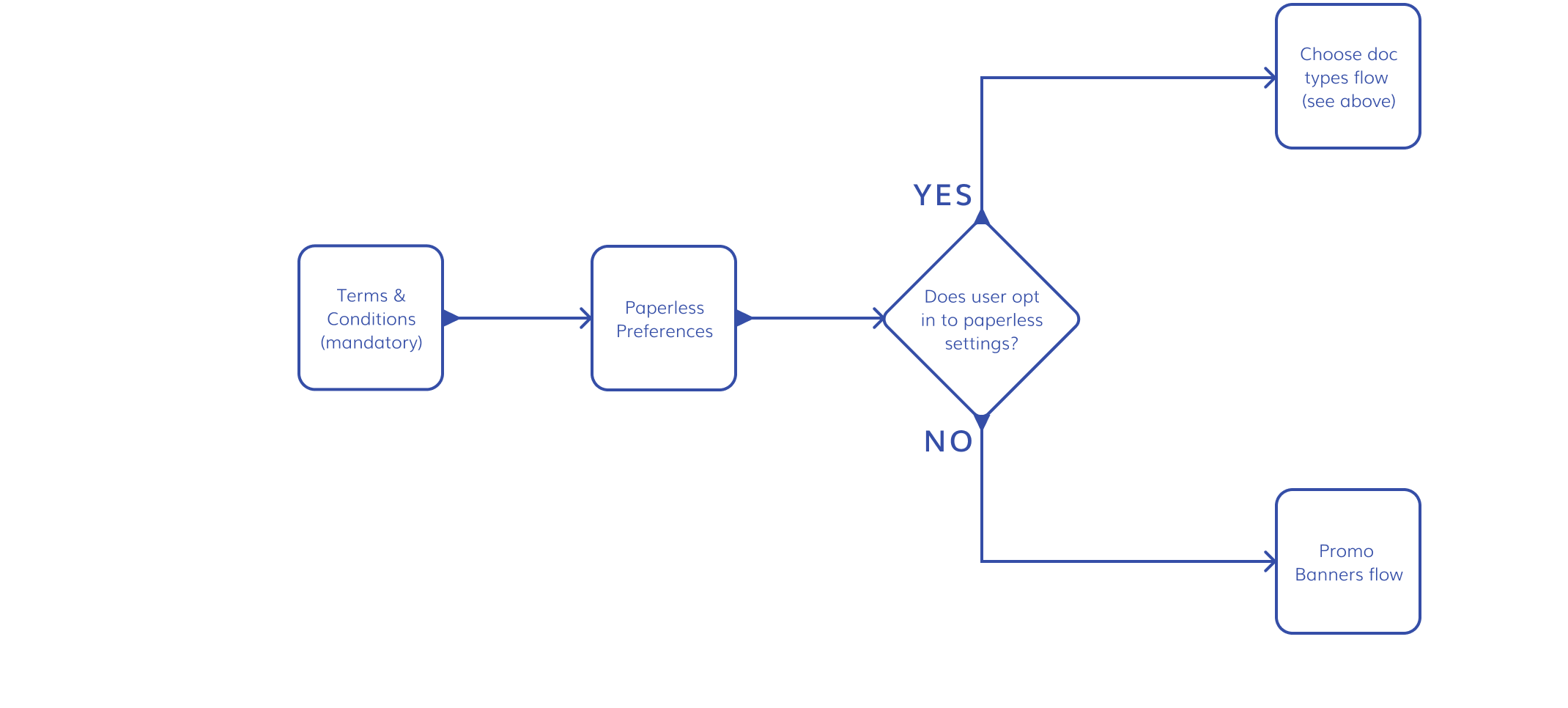
Mapping the System
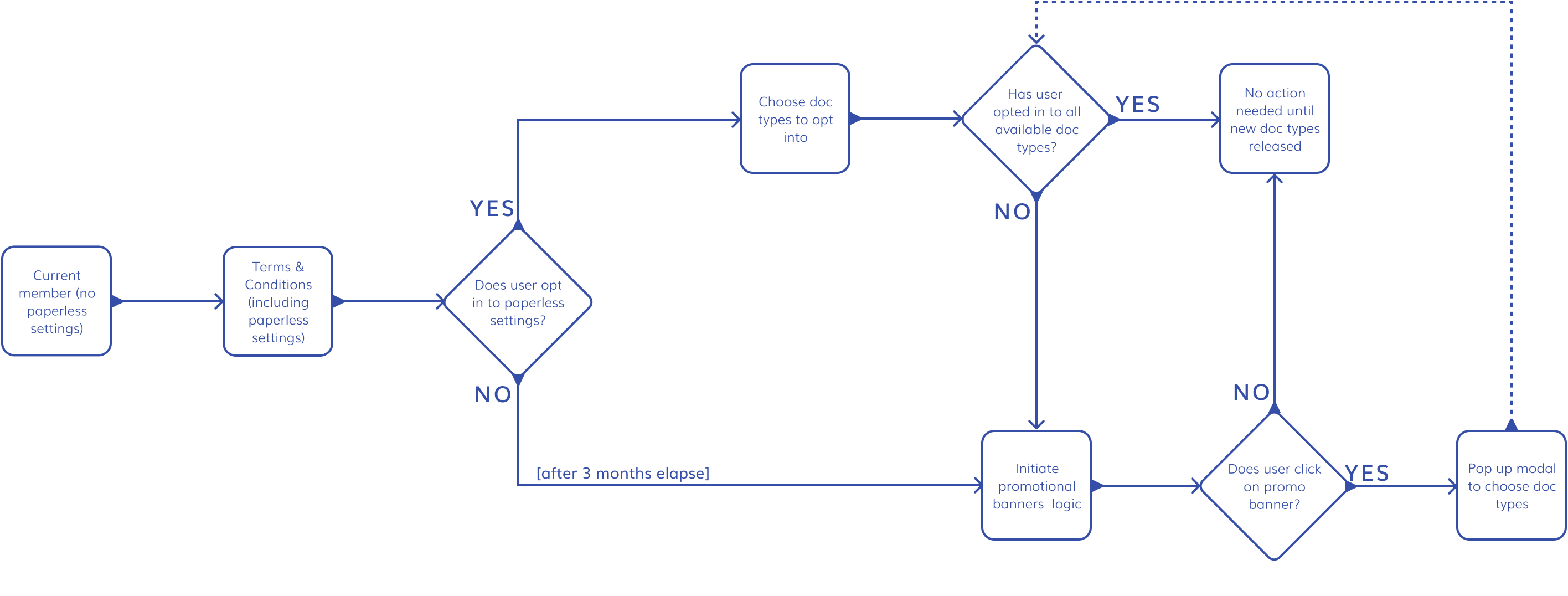
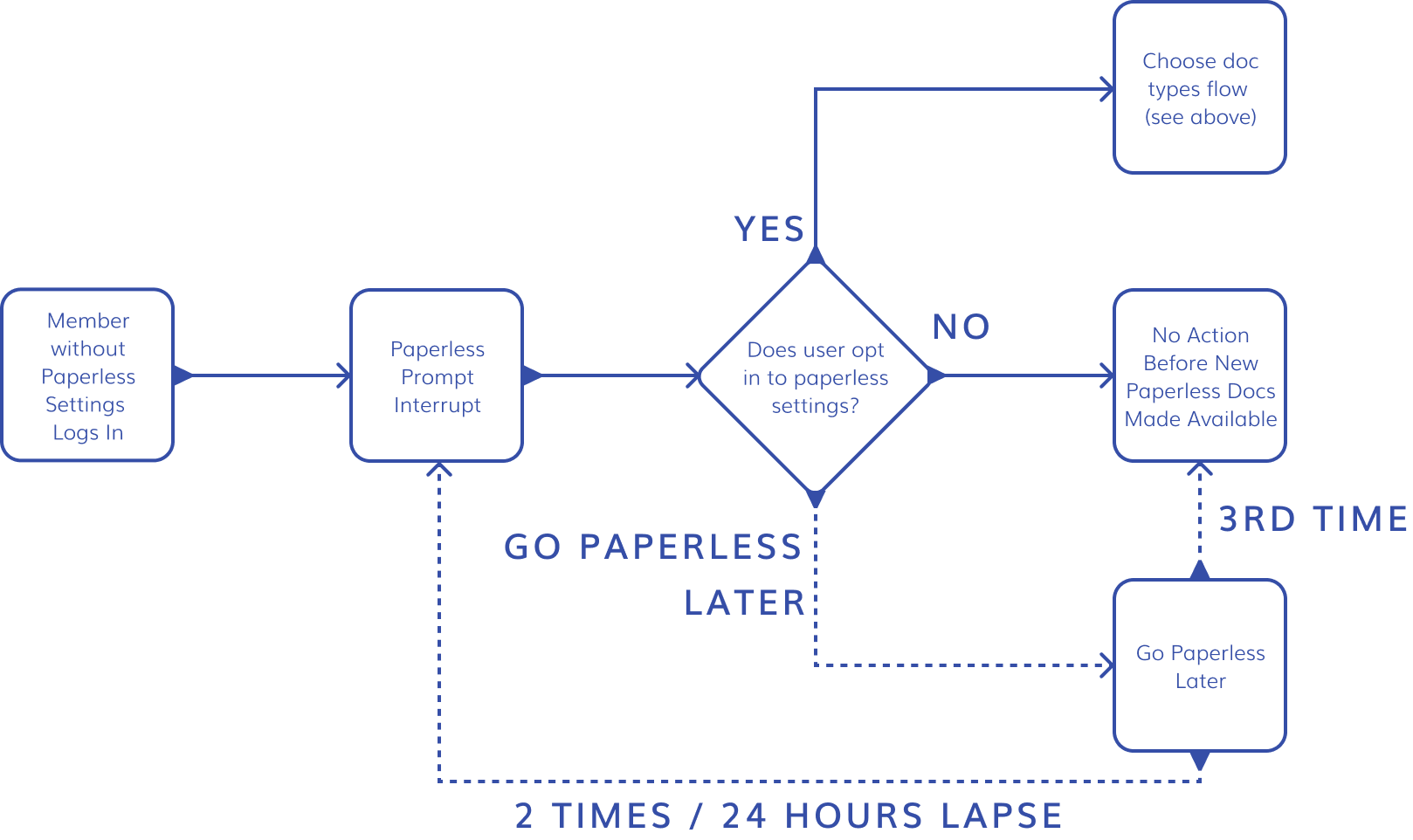
I created a comprehensive user flow for current members to understand how all GPI components interacted. As requirements and constraints evolved, this artifact became a living source of truth — critical for timeline planning, stakeholder alignment, and design decisions across multiple projects.
Improving the Existing Experience
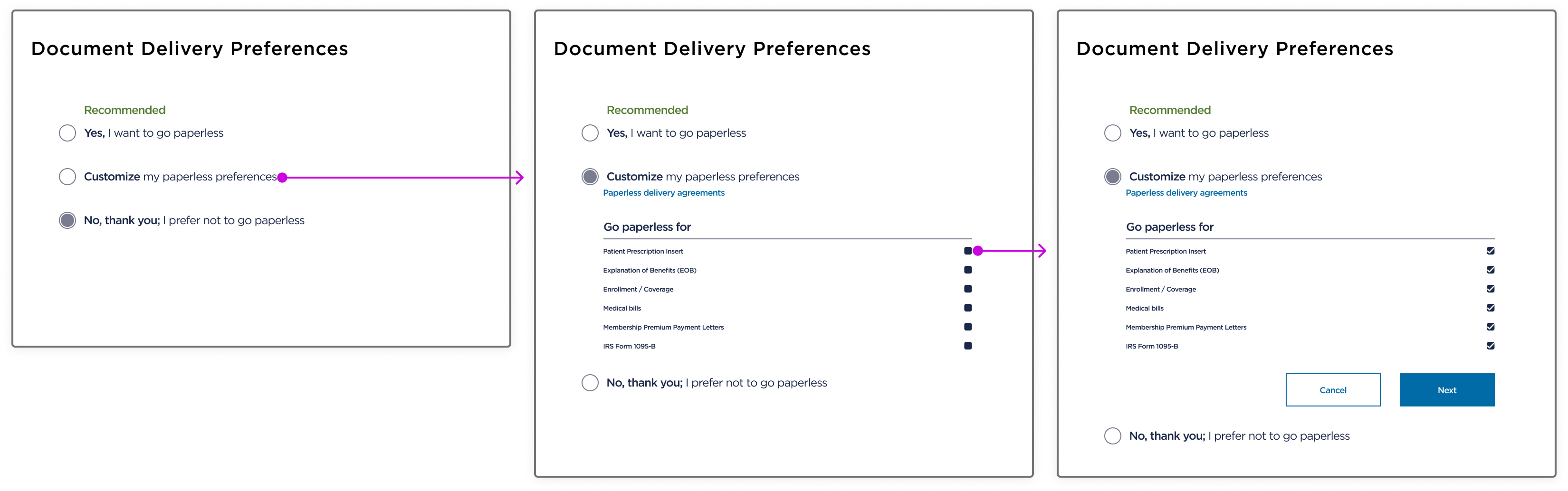
The existing Document Delivery Preferences page surfaced several issues:
- Unclear page labeling (later validated in testing)
- ADA violations (radio button behavior, checkbox placement)
- Poor mobile usability
This page predated updated ADA standards, presenting an opportunity to both fix compliance gaps and improve clarity.
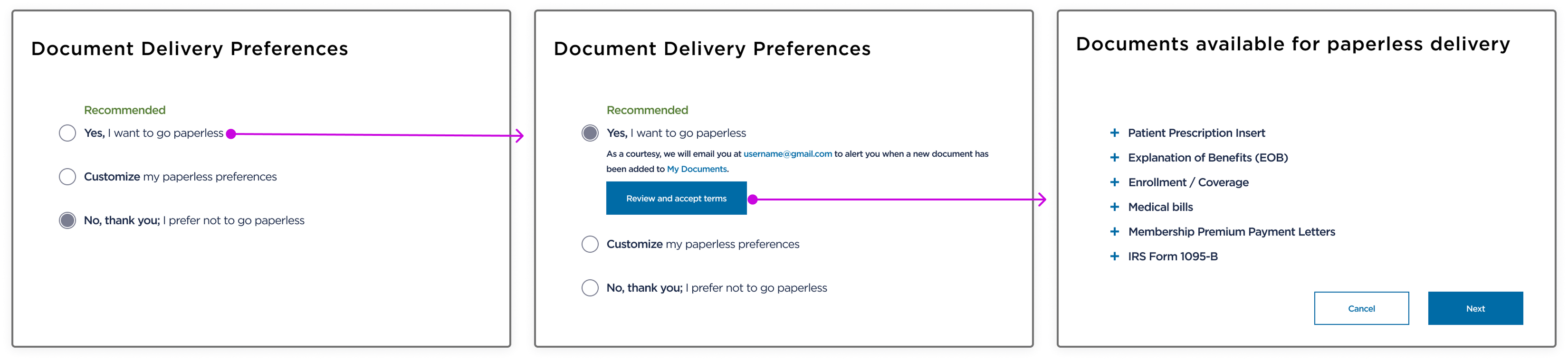
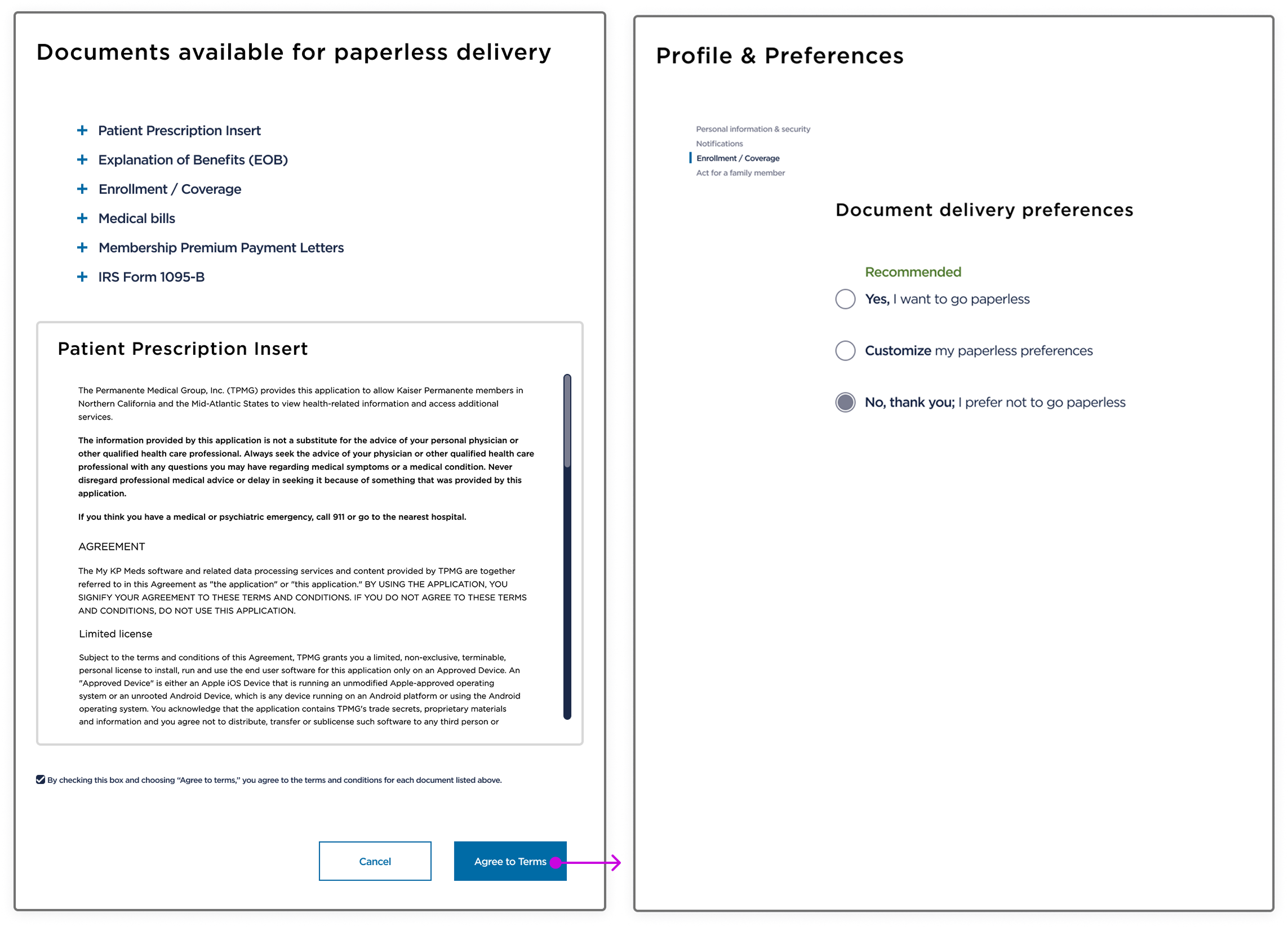
Once document selections are made, the user progresses to these screens:
Coupling with T&C: The initial proposed solution
Initial Hypothesis
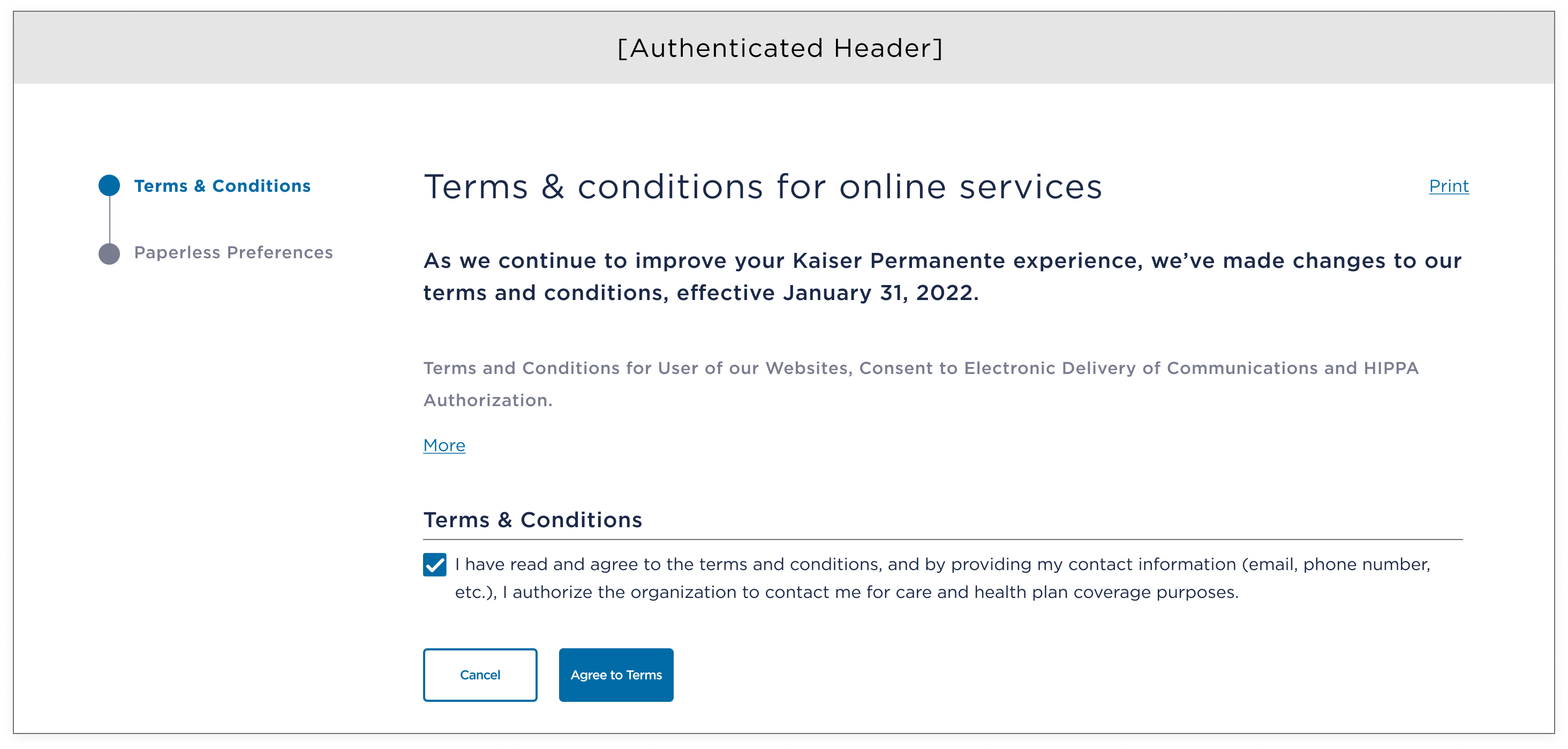
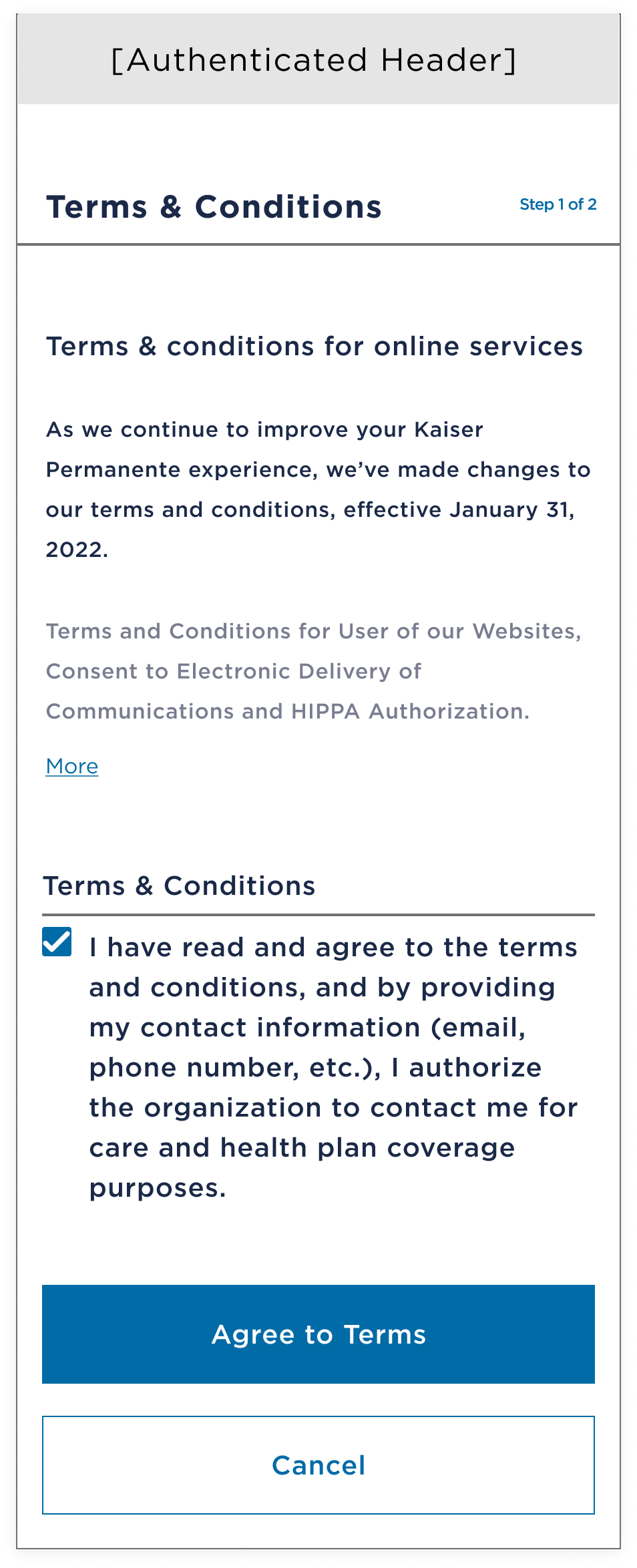
Combining paperless preferences directly into the T&C risked eroding user trust, confusing mental models, and introducing complex, costly conditional logic. The proposed solution was a two-step flow that included:
- Mandatory Site T&C
- Optional Paperless Preferences
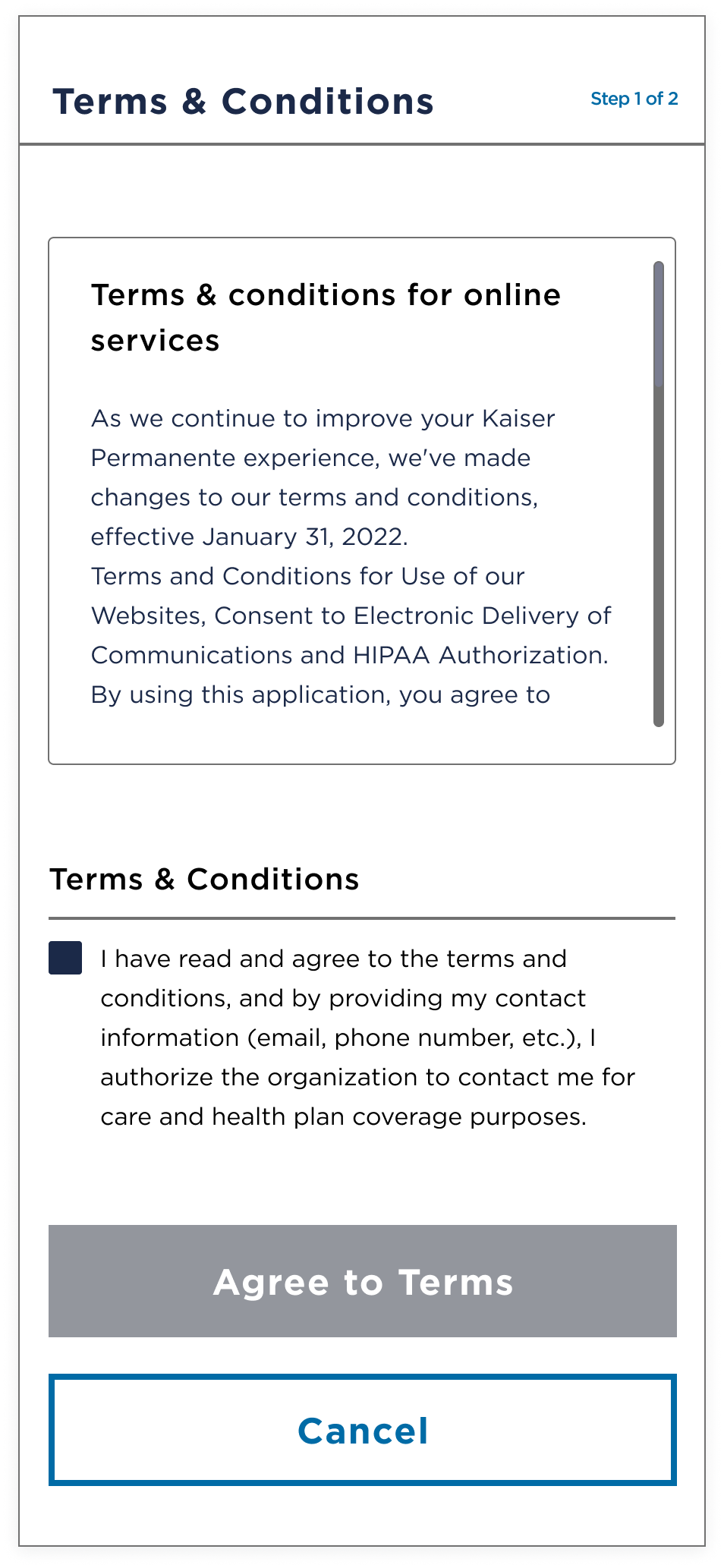
This separation improved transparency, reduced technical complexity, and aligned with user expectations. Especially for users with special needs, these challenges could be devastating.
Key decisions included:
- Step indicator to clarify process
- Attestation checkbox gating progression
- CTA activated only after explicit consent
- "More / Less" pattern instead of scroll-boxes to avoid mobile "scroll within scroll" issues and improved accessibility
Usability test later validated these approaches.
See the low-fidelity wireframes below for the screens the user progresses to once document selections are made:
Paperless Preferences: Interaction Design
Early Iterations
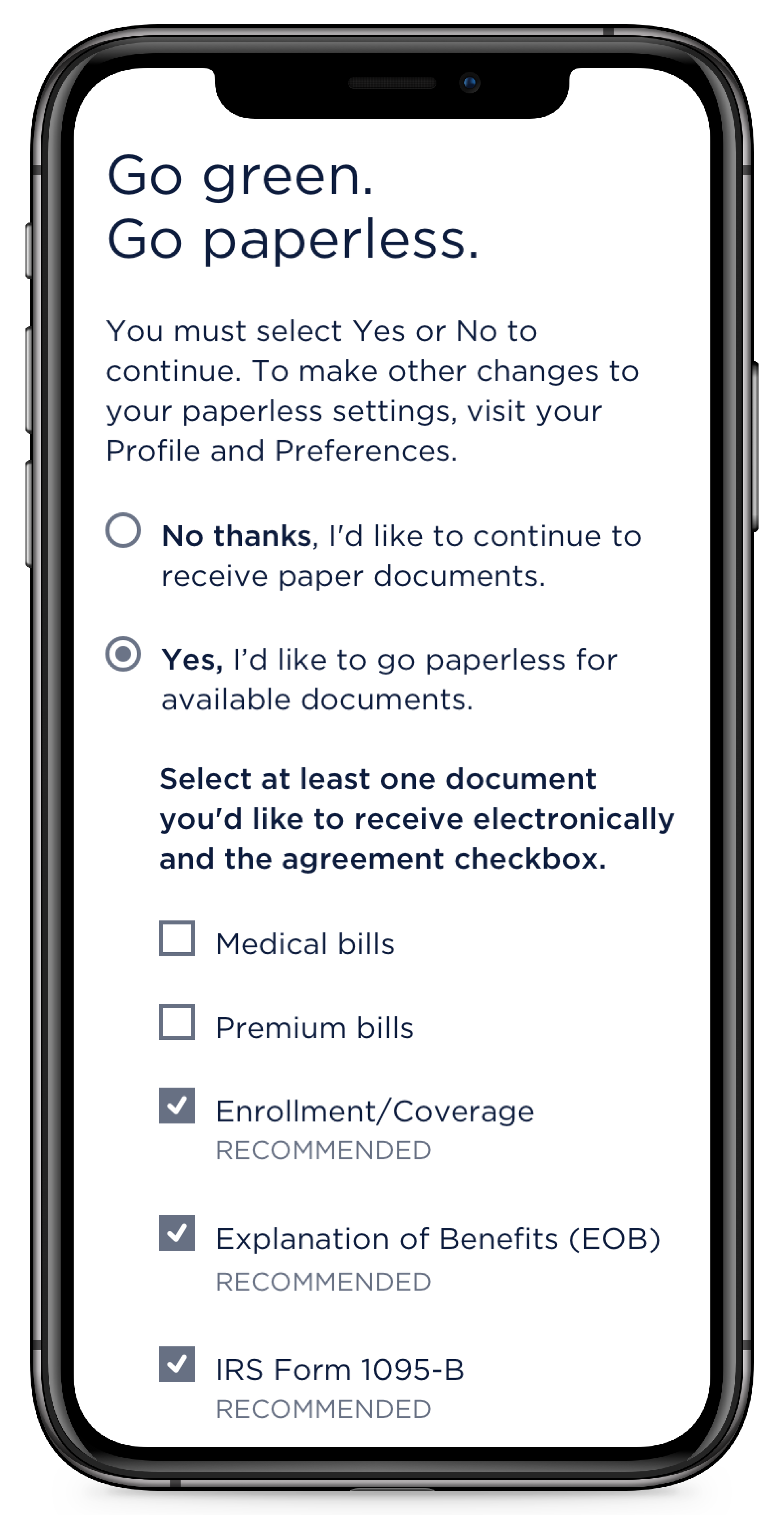
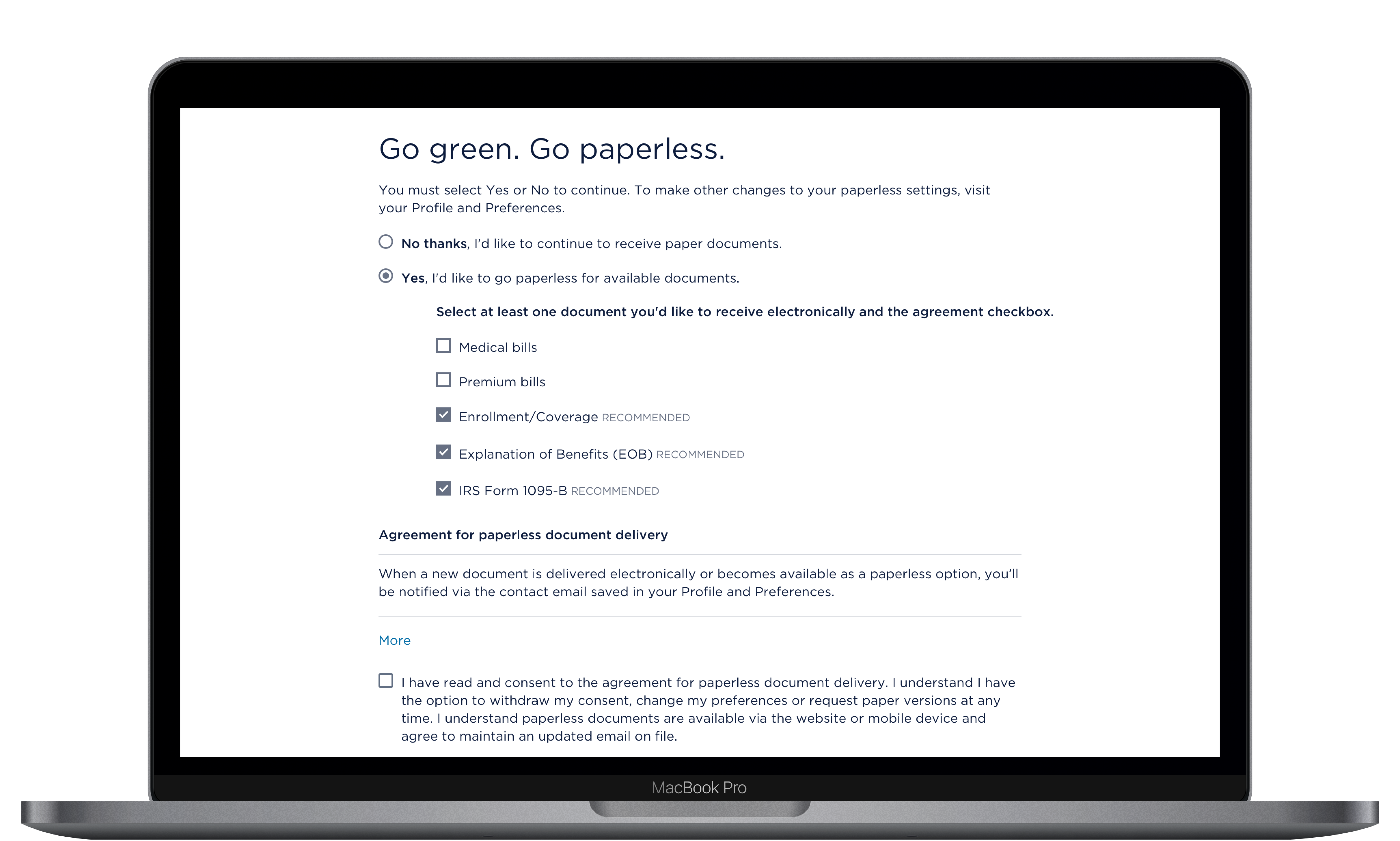
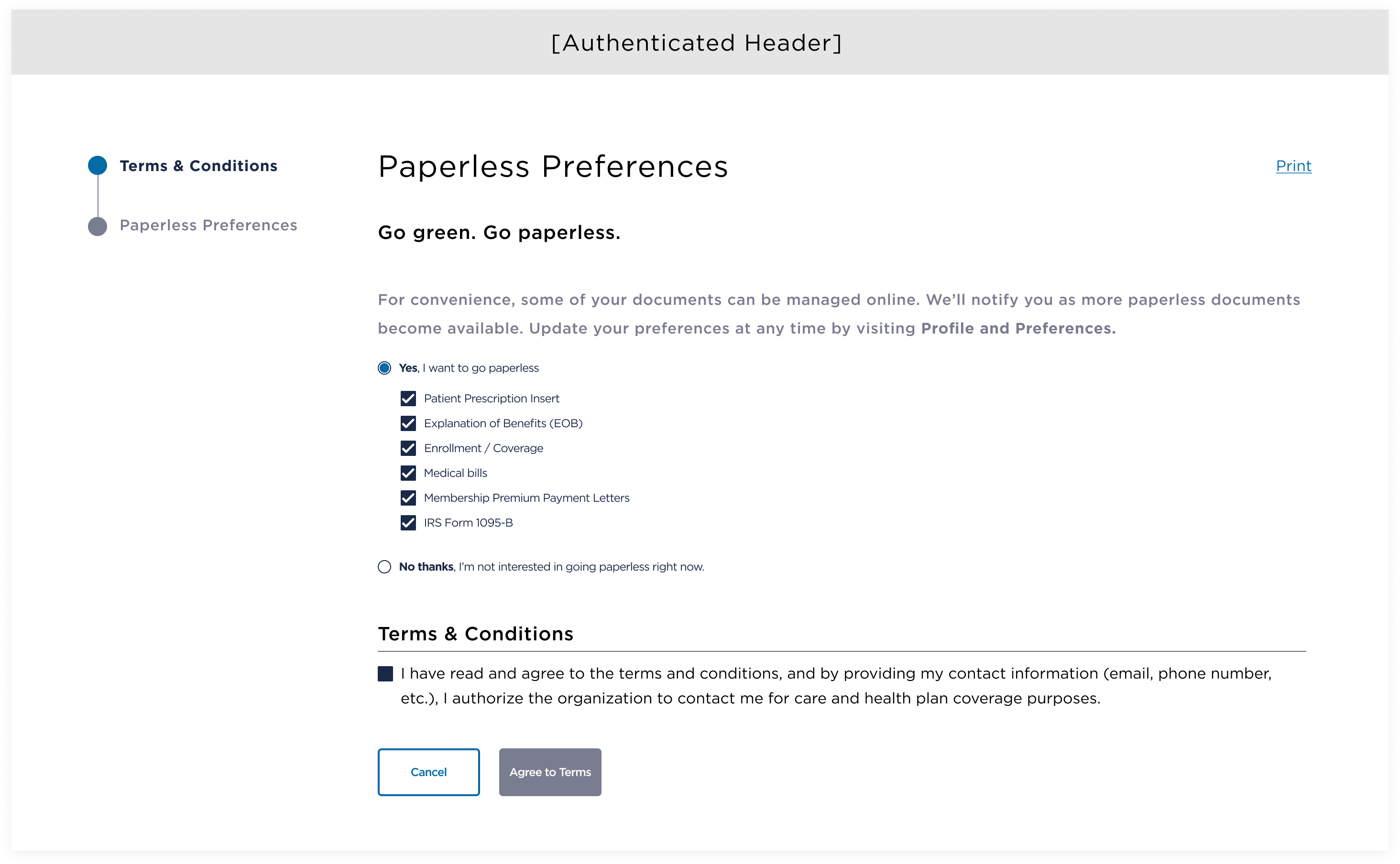
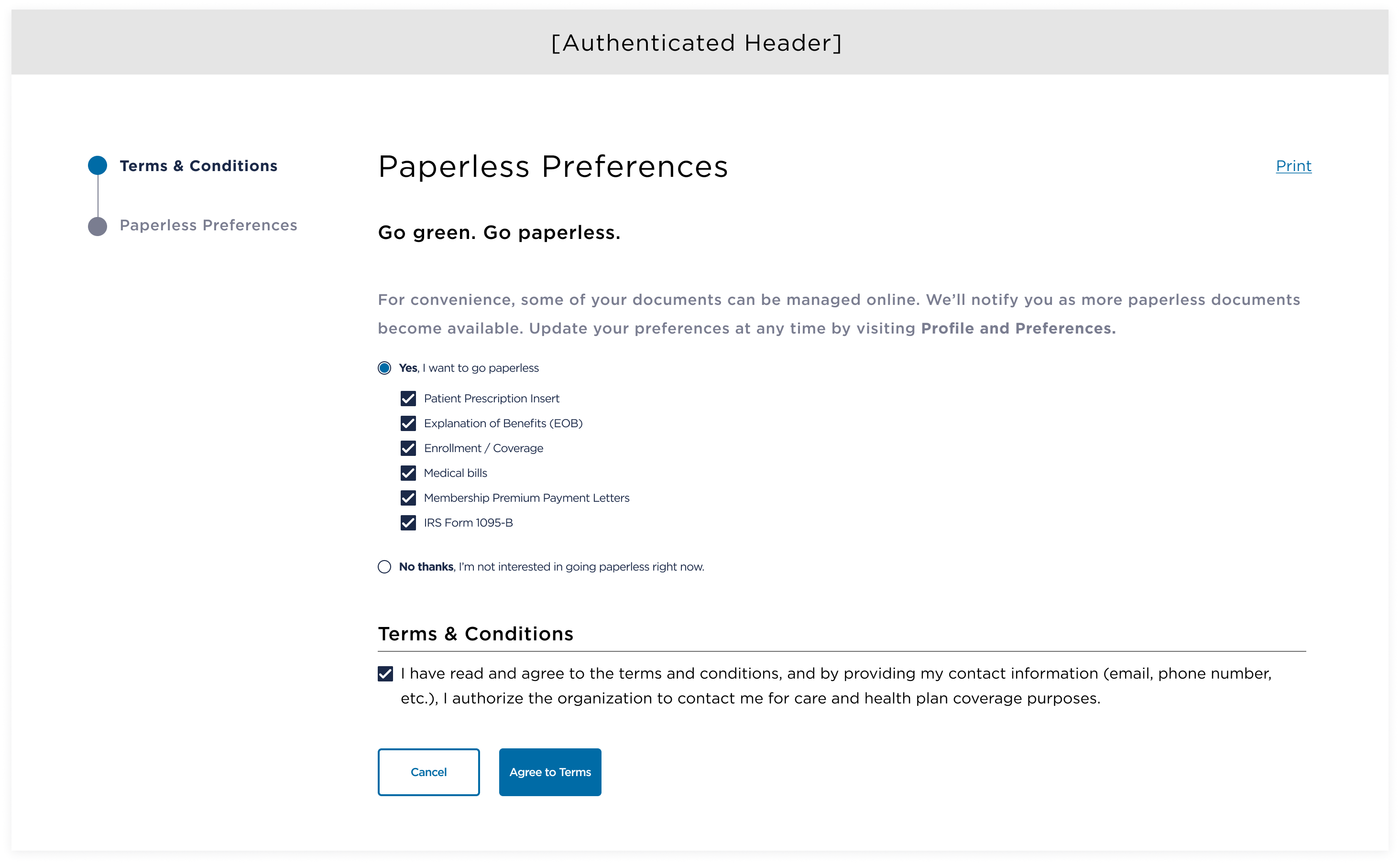
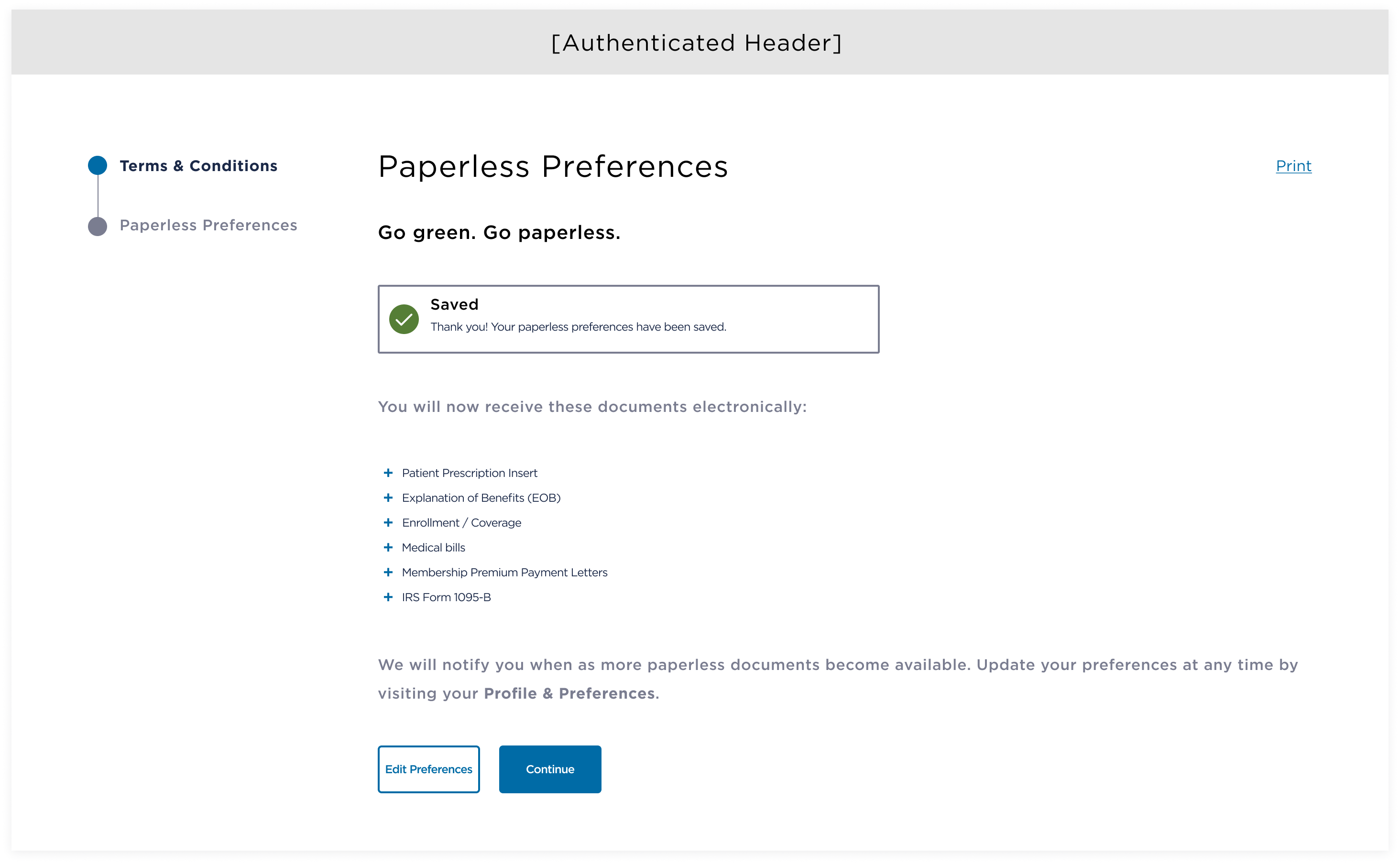
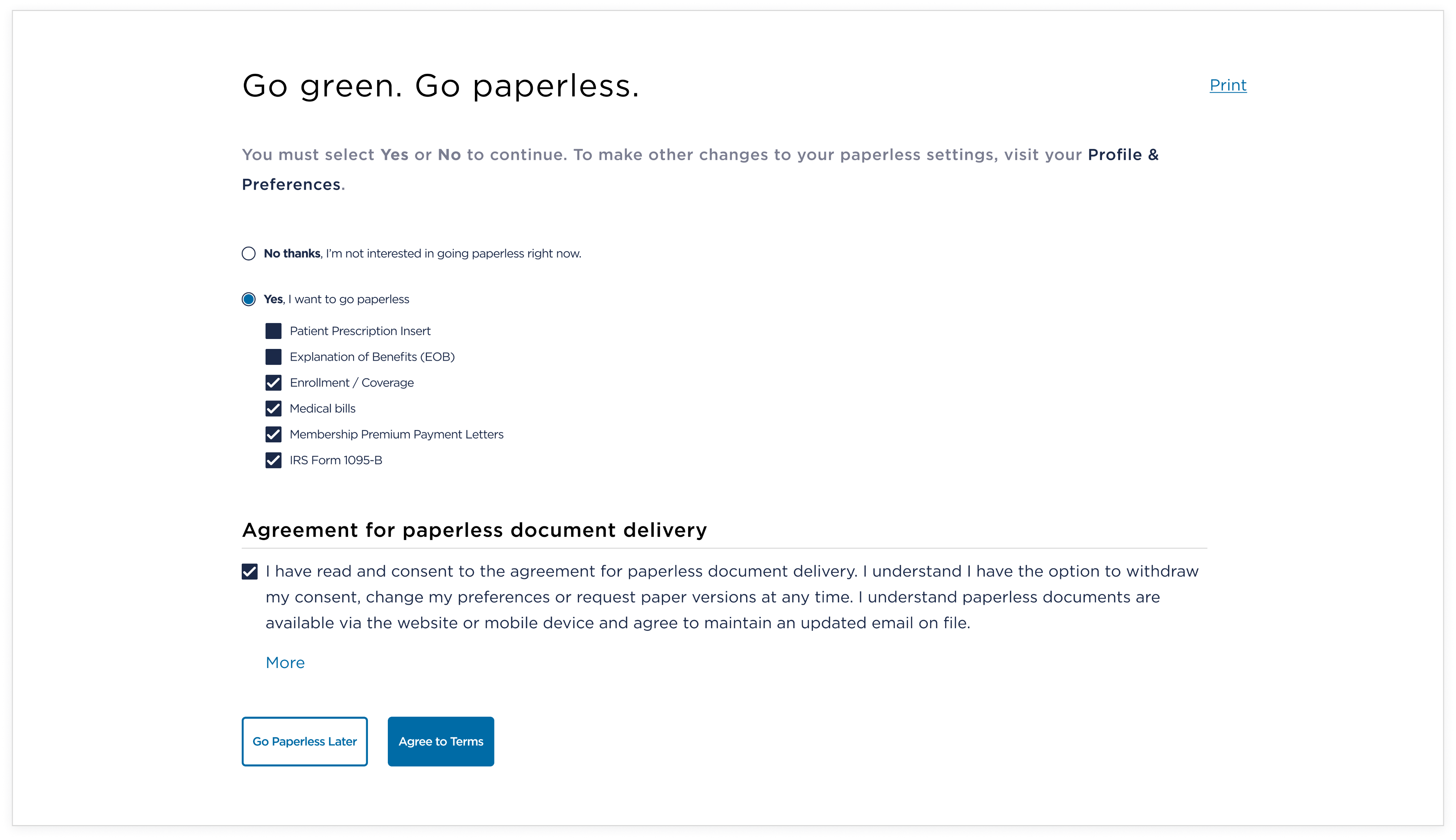
The second step — Paperless Preferences — introduced several legal and UX constraints. The existing experience relied on three radio buttons: Yes (to all), Customize, and No. While I initially explored a similar pattern, the Legal team rejected it, as a "Yes to all" option posed liability risks. Instead, users were required to provide explicit consent by manually selecting each paperless document category.
Key interactions in this iteration included:
- Selecting "Yes" revealed available document categories, conditionally displayed based on the member's existing paperless settings
- Selecting "No thanks," updated the primary CTA to "Save," allowing the user to proceed directly to the authenticated site
- The "I agree" CTA remained disabled until the user both checked the attestation checkbox and selected at least one document type
ADA-Driven Requirements & Refinement
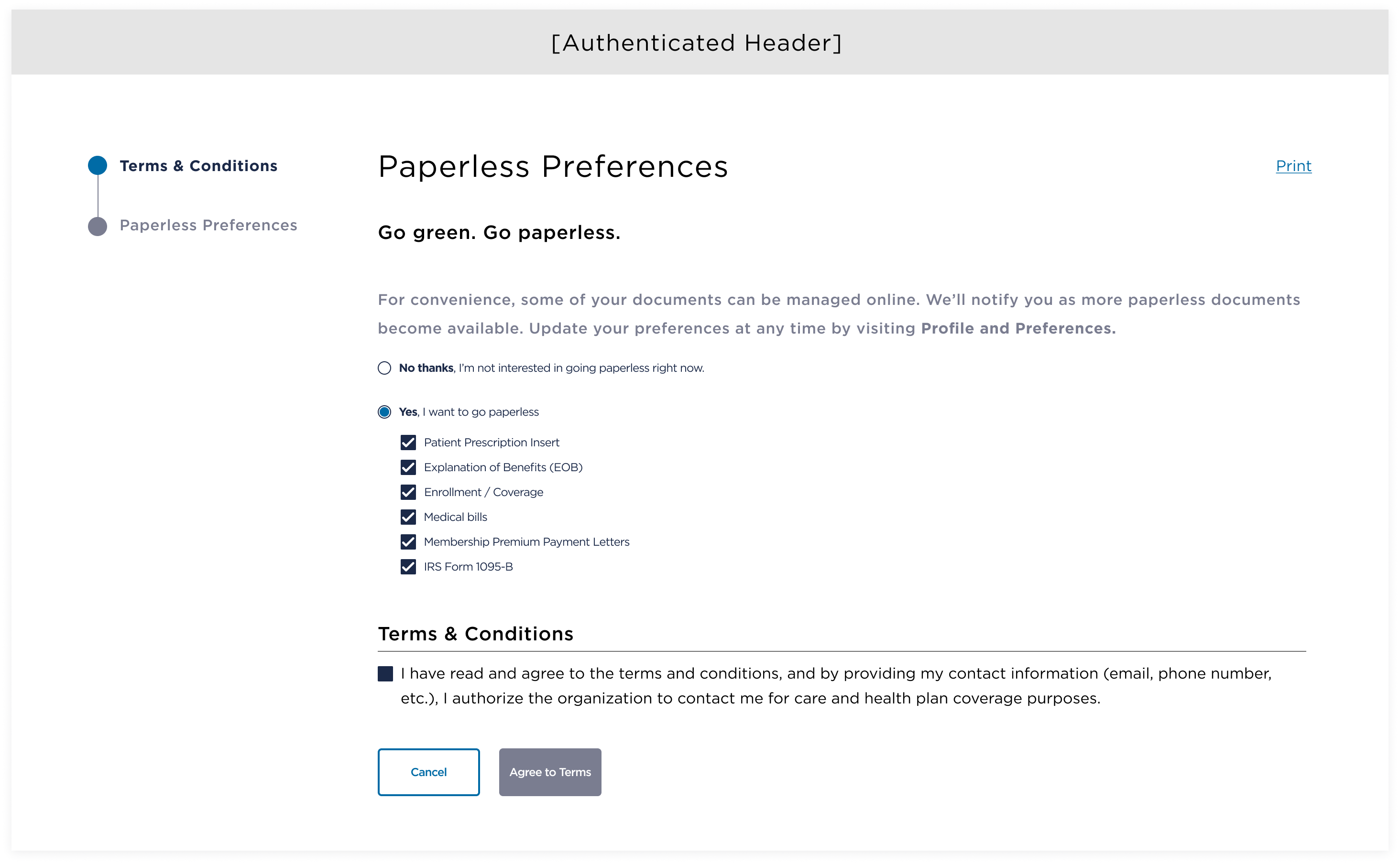
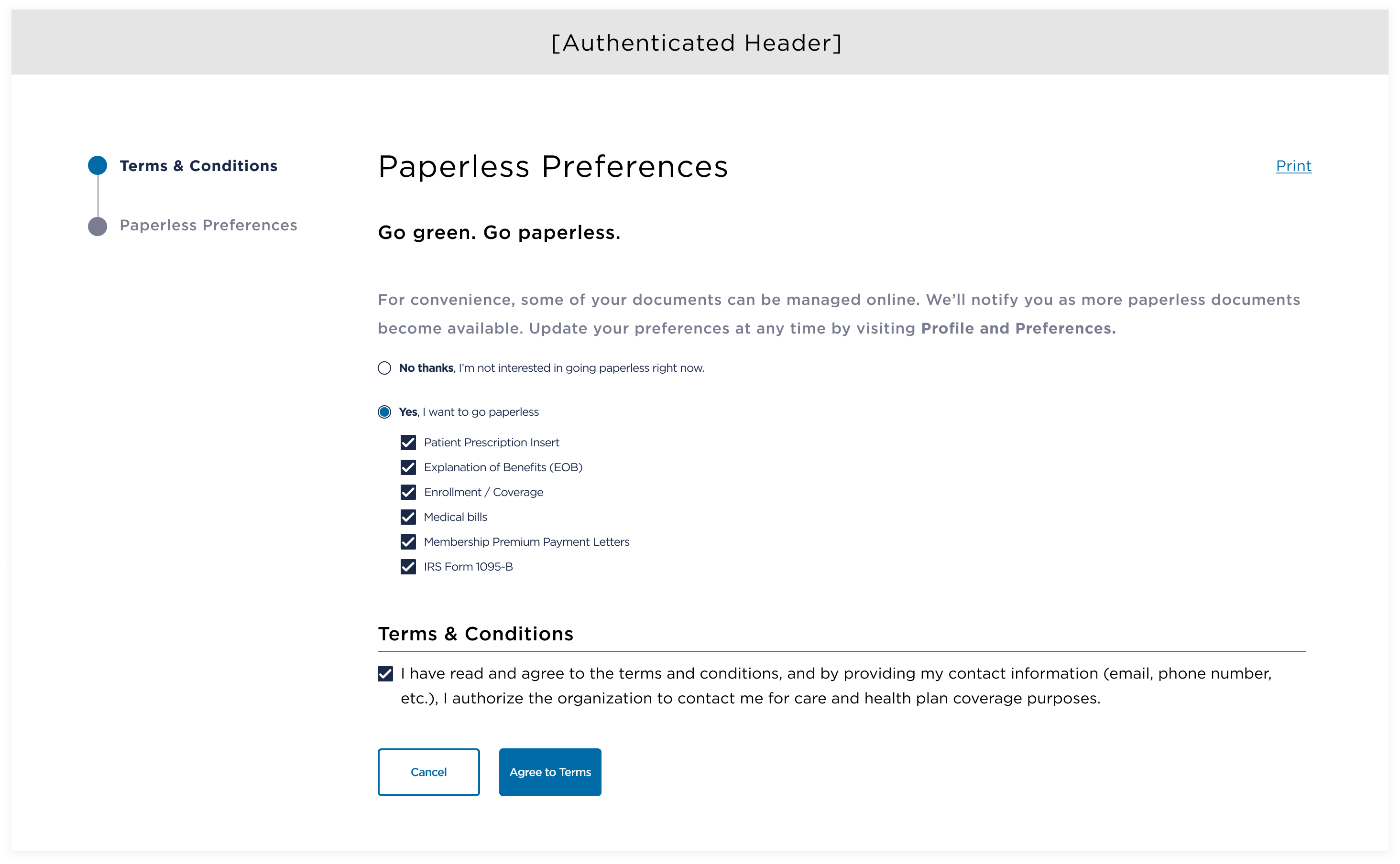
During design review, I identified an ADA compliance issue: checkboxes nested within a radio button require clear explanatory labels.
To address this without increasing form complexity, I defaulted the prompt to "Yes" and put "No" above it. This approach avoided adding additional sections while allowing all available options to be visible upfront — supporting both accessibility requirements and business goals.
Defaulting to "Yes" also enabled me to place instructional copy directly within the radio button, satisfying ADA guidelines while reinforcing clarity for users. Additional requirements included:
- Pre-selecting only non-billing document categories (per Legal guidance), with RECOMMENDED labels to transparently explain why some items were pre-selected and others were not
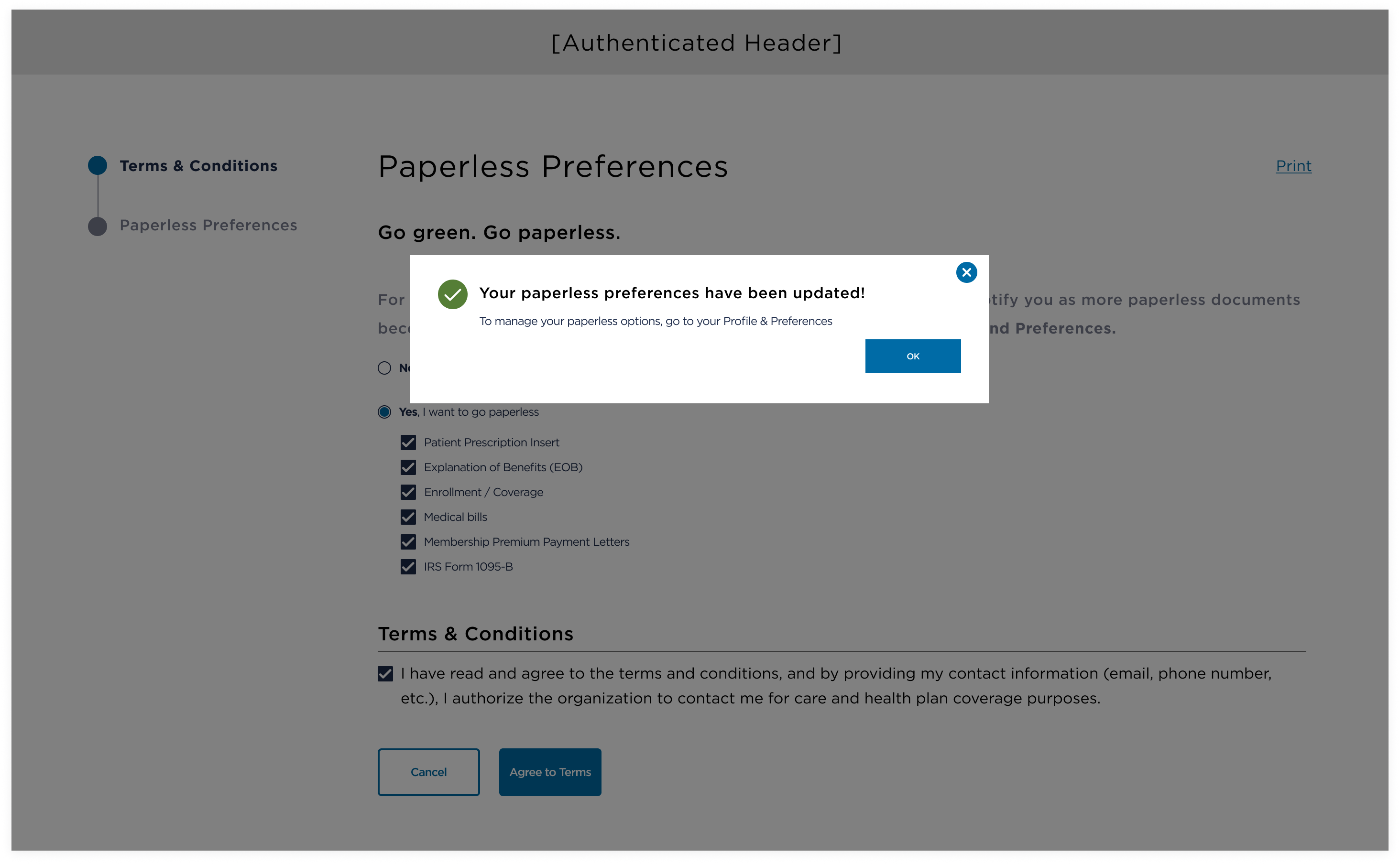
- Simplifying confirmation by replacing the multi-step confirmation screen with a modal overlay, improving performance and eliminating unnecessary deselect/reselect behavior
- Removing outbound text links, as users had not yet entered the authenticated experience and should not navigate away before completing the flow
- Reinforcing the attestation checkbox as a required consent mechanism: the "Agree" CTA becomes active only after the user explicitly confirms consent
Usability Testing & Key Insights
To validate that a two-step flow outperformed a single-step approach — and to build stakeholder confidence — I partnered with the UX Researcher to prototype both experiences and conduct our first round of usability testing. Key findings included:
- Most users were inclined to opt into all available document types without reading the legal text and expressed a strong preference not to be prompted again: only a small sub-set preferred receiving paperless bills
- A consistent mental model emerged; users viewed paperless as a permanent state, not a collection of individual settings ("I chose paperless, so I'm paperless now)
Pivot: New Constraints & Design Adjustments
New Constraints
At this stage, several unexpected constraints required a strategic pivot and rethinking how users were introduced to Paperless Preferences.
- The rollout of a new multi-factor authentication (MFA) system required decoupling Paperless Preferences from the Terms & Conditions, eliminating the initial T&C step and promoting a redesign of the entry point into the paperless flow
- A design system update mandated the removal of inactive CTAs. To accommodate this, I kept the 'I Agree' button enabled and introduced clear error handling for missing selections.
- Per ADA guidance, pages with form inputs typically require the statement "All fields are required unless noted as optional." Because this form combined required radio buttons with optional checkboxes, I partnered with the UX Writer to develop more precise instructional copy that accurately reflected these requirements
These adjustments preserved accessibility, compliance, and usability while aligning with new technological and system constraints.
Escape State
Once Paperless Preferences became a stand-alone prompt, users needed a clear escape for moments when they weren't ready to decide. I introduced a "Go paperless later" text link at the bottom of the prompt — deferring the decision without blocking access to the site.
Placing the agreement CTA at the bottom of the prompt was a deliberate choice intended to encourage users to engage with the content before agreeing — a hypothesis later validated through usability testing. Key decisions included:
- Using "Go paperless later" instead of "Skip" to clearly signal that users would be reminded again, setting appropriate expectations
- Removing the global header and footer to prevent users from navigating away or continuing into the site without completing the flow
- Keeping the CTA active at all times, supported by clear error handling when users attempted to continue without selecting a document type or confirming agreement
- Limiting how often the prompt could reappear within a single day; although Product team advocated for indefinitely re-prompting for analytics, I pushed back on user testing and ethical UX considerations, recommending reasonable limits to avoid dark-pattern behavior
Conclusion: I'm in a Paperless State of Mind
Beyond the core Paperless Preferences flow, I extended the experience to additional touch points — contextual banners on high-traffic pages, a redesigned My Documents hub, and a new member onboarding prompt — each adapted to its context while maintaining a consistent, low-friction approach.
A clear theme emerged across research and testing: users view going paperless as a permanent state. Once opted in, they expected all documents to arrive electronically without further action — and most were eager to do so, preferring not to be prompted repeatedly. This insight shaped my design advocacy throughout:
- Avoided re-prompting patterns that risk dark-pattern behavior
- Ensured contextual banners disappear once no longer relevant
- Respected "No thanks" as a final decision, while preserving the ability to change their mind later
One compromise blocked by legal was single-click opt-in for all documents. Though not implemented before launch, I recommended it for the backlog, backed by research showing clear user preference for a simple, one-and-done experience.
The results spoke for themselves: within the first week, over 100,000 members opted into paperless delivery, exceeding expectations. This initiative drove meaningful adoption — saving millions of dollars and countless trees — while reinforcing a transparent, respectful, user-centered approach.